TaskRio vs Tasks.Bot for Google Sheets Automation AI
Your team still tracks tasks in a Google Sheet, and every status update means another manual edit. Meanwhile, AI tools now promise to automate that work, but many platforms still ask you to live inside a spreadsheet grid. Choosing the wrong one costs hours every week.
This comparison shows where TaskRio fits as a spreadsheet-centric option and where Tasks.Bot handles AI task creation and reporting inside WhatsApp instead. You will also see how voice notes, GPS tracking, and face-verified attendance work in practice, plus pricing, beta status, and who each tool actually suits.
What Is Tasks.Bot? WhatsApp-Native Task Management Explained
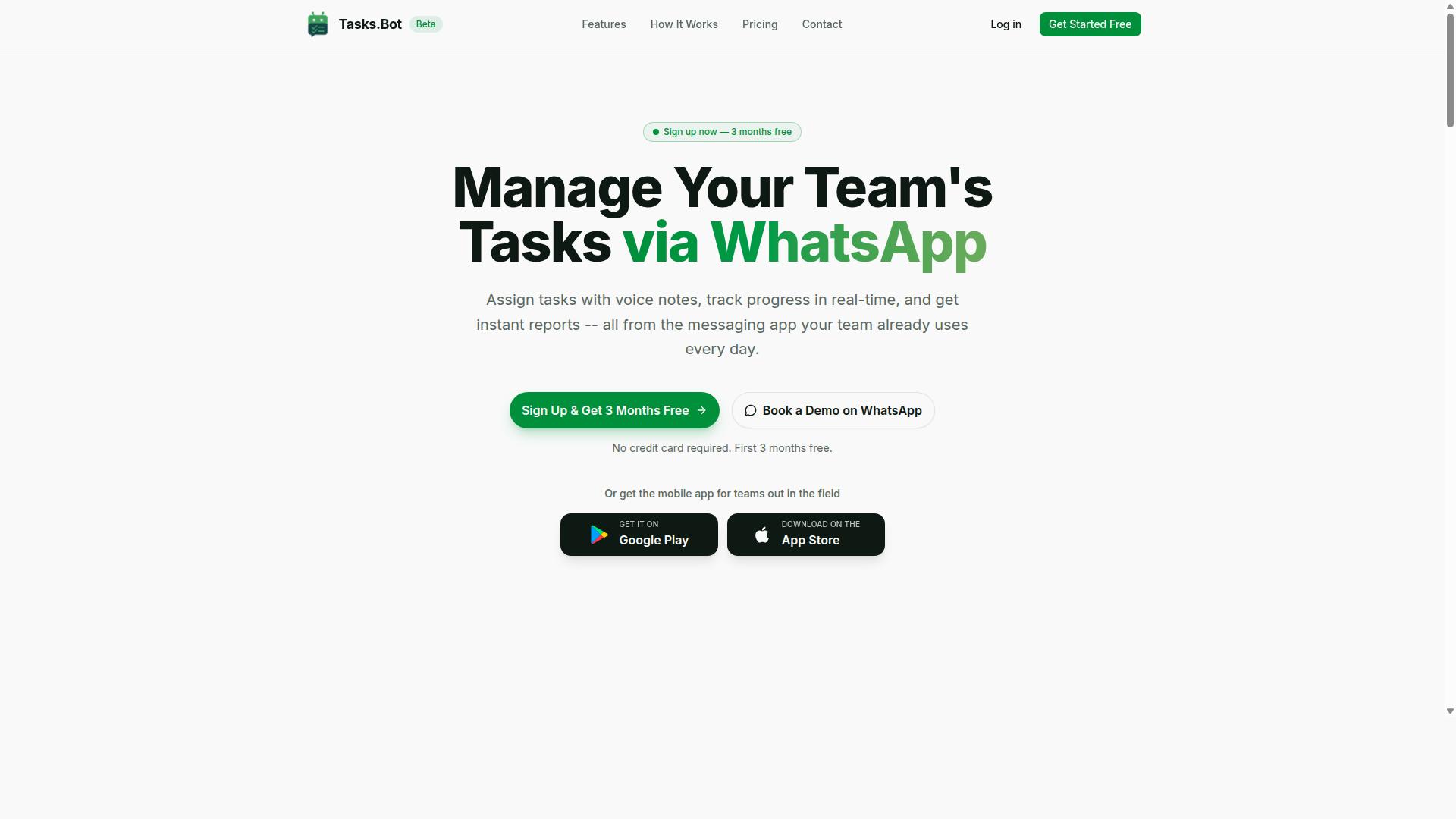
Tasks.Bot is a task management platform that operates entirely within WhatsApp, allowing teams to assign tasks, track progress, and receive reports without leaving the messaging app. Instead of asking people to learn new software, it meets them in the tool they already open every day.
The core idea is zero friction for team members. There are no new app installations and no account creations required for the people doing the work. If someone can send a WhatsApp message, they can participate in the workflow from day one.
Tasks.Bot also offers a mobile app for field teams. Its feature set covers voice note task creation, automatic task assignment, smart deadline reminders, approvals and automations, instant reports, tasks on a map, a live day tracker, face-verified attendance, and shifts, leave, and hours management. Native WhatsApp integration ties it all together.
The service is available worldwide and is currently in beta with a free trial period. It is built for teams that already run on WhatsApp, especially those with field staff who are rarely at a desk. For a manager coordinating people on the move, that combination of reach and simplicity matters more than a long feature list.
How Tasks.Bot Handles Google Sheets-Style Automation Without the Spreadsheet
Tasks.Bot offers task creation, due date tracking, and reminders through WhatsApp's conversational interface. The automation happens inside the chat, so nothing has to be opened, formatted, or maintained separately.
What makes this work is AI that understands user intent. Tasks.Bot uses AI to understand natural language and voice notes, then turn them into structured tasks. A message like "Assign task to John, due Friday, remind him daily" becomes a real assignment with a deadline and a reminder schedule, without anyone touching a cell or writing a formula.
Compare that to a typical spreadsheet setup. In Google Sheets, someone has to design the columns, build the rows, and wire up notifications, often through Apps Script or a connector tool. Every new automation is another configuration step, and every new team member needs a walkthrough.
With Tasks.Bot, the same outcomes come from a sentence. The platform supports approvals, automations, and instant reports, so routine coordination does not depend on a spreadsheet staying up to date. There is no data entry to chase and no version of the file to reconcile.
Common scenarios map naturally onto chat commands:
- Assign a task to a specific person with a due date
- Set a daily reminder so nothing slips
- Route an item for approval before it is closed
- Pull an instant report on what is done and what is pending
For teams weighing a spreadsheet-first approach, the trade-off is clear. Sheets offer flexibility but demand manual upkeep. Tasks.Bot trades that setup work for conversation, keeping task creation, due dates, and reminders in one place the team already uses.
TaskRio vs Tasks.Bot: Which Is Better for Google Sheets Automation AI?
When comparing TaskRio and Tasks.Bot for Google Sheets automation AI, the key differentiator lies in their core design: TaskRio is built around spreadsheets, while Tasks.Bot is built around WhatsApp.
Both tools aim to automate task management, but they take very different routes to get there. TaskRio appears to integrate deeply with Google Sheets and Google Workspace, using triggers, actions, and conditional logic to automate work inside the spreadsheet itself.
Tasks.Bot takes the opposite approach. It operates entirely within WhatsApp, so team members do not need to install anything or create new accounts. Its AI understands natural language and voice notes for task creation, and reporting happens right in the chat.
That difference shapes everything else. Teams that live in spreadsheets may prefer TaskRio's spreadsheet integration and formula-driven style. Teams that coordinate through WhatsApp, especially field staff, may find Tasks.Bot's chatbot interface faster and simpler.
The sections below break down where each tool fits best, so you can judge which approach matches how your team already works.
Where TaskRio Fits: Spreadsheet-Centric Automation
TaskRio is designed for teams that live in Google Sheets and want to automate tasks without leaving the spreadsheet environment. It enhances Sheets with automation capabilities such as triggers, actions, and conditional logic, so routine steps can run on their own.
Its strengths sit squarely in the Google Workspace ecosystem. Because it works directly with spreadsheet data, teams can manipulate rows and columns in place, connect workflows to other Google apps, and keep a single source of truth for task lists, due dates, and statuses.
This makes TaskRio a natural fit for people who are comfortable with formulas and structured data. If your project management already runs on sheets, a spreadsheet-centric tool can feel like a small extension of what you do every day rather than a new system to learn.
There is a tradeoff, though. Spreadsheet-centric automation typically requires some setup and familiarity with Sheets. Someone has to build the triggers, define the conditions, and maintain the structure as projects change. For spreadsheet-savvy teams, that is a reasonable cost. For everyone else, it can be a barrier.
In short, TaskRio suits teams with spreadsheet skills who want workflow automation close to their data. Teams without that background may find the learning curve steeper than expected.
Where Tasks.Bot Wins: AI Task Creation and Reporting Inside WhatsApp
Tasks.Bot excels in scenarios where teams communicate via WhatsApp and need to create tasks, assign them, and get reports without switching to another app. Its AI uses natural language processing to understand everyday messages and voice notes, turning them into tasks instantly.
The workflow is simple to describe. A manager can send a voice note to assign a task, and reporting is automated and delivered within WhatsApp, so daily progress updates arrive in the chat instead of a dashboard nobody opens. No spreadsheet skills are needed at any point.
That accessibility matters most for field teams. Tasks.Bot also offers face-verified attendance and live GPS tracking for field staff, which spreadsheet-based tools do not cover. Team members do not need to install anything or create new accounts, since everything runs inside WhatsApp.
Compared with TaskRio, the biggest difference is manual data entry. With a spreadsheet-centric tool, someone still has to enter or sync information into sheets. Tasks.Bot removes that step, because the conversation itself becomes the record.
Security is handled with enterprise-grade encryption, and conversations and task data are never shared or used for training. Teams can also try it through a 3-month free trial with no credit card required. For WhatsApp-first teams, Tasks.Bot wins on speed, simplicity, and reach.
Key Features and What Makes Tasks.Bot Stand Out
Tasks.Bot offers a suite of features tailored for teams that rely on WhatsApp, from AI-powered task creation to field-specific tools like GPS tracking. The platform is built around a simple idea: instead of asking teams to adopt yet another dashboard, it works inside the messaging app they already use every day.
That design choice matters for reducing friction. When task management lives in WhatsApp, there is no separate login to remember and no new interface to learn. Team members simply send a message, and the system handles the rest.
The feature set falls into three broad categories:
- AI-driven task management, including voice note task creation, automatic task assignment, smart deadline reminders, approvals, and automations
- Field team tools, such as tasks on a map, a live day tracker, face-verified attendance, and shifts, leave, and hours management
- Reporting and visibility, with instant reports that give managers a current picture of work in progress
Tasks.Bot also provides Android and iOS apps with push notifications, voice capture, and a home screen widget, so the same workflow is available away from a desk. The service uses AI to understand user intent and create tasks from messages, which is the thread that ties these features together. Each subsection below looks at a specific part of the platform in more detail.
Voice Notes, Natural Language AI, and Smart Deadline Reminders
One of Tasks.Bot's standout features is its ability to create tasks from voice notes and natural language, making task entry as simple as sending a WhatsApp message. Instead of filling out a form with separate fields for title, owner, and date, a user describes what needs to happen and the AI works out the details.
The system interprets the message to pull out task details such as the assignee, the due date, and the priority. A phrase like "Remind me to call the client tomorrow at 10 AM" becomes a task with a reminder attached, no manual sorting required.
This approach cuts down on two common problems in task management:
- Manual entry, which slows people down and discourages them from logging work at all
- Human error, such as a wrong date or a missed assignee when details are typed in a hurry
Smart deadline reminders are set automatically and sent through WhatsApp, so the notification arrives in the same place the task was created. Nothing gets buried in an inbox or forgotten on a board nobody checks.
Because the AI handles natural language processing, there is no special syntax to memorize and no commands to look up. Voice note task creation is part of the Full Access plan, alongside the rest of the platform's core capabilities. For teams that already talk through their work in chat, this turns ordinary conversation into tracked, accountable tasks.
Field Team Tools: GPS Tracking, Face-Verified Attendance, and Live Day Tracker
For teams with field staff, Tasks.Bot includes GPS tracking, face-verified attendance, and a live day tracker to monitor progress in real time. These tools target a problem that desk-oriented project management software often ignores: work that happens away from a computer.
GPS tracking supports location verification, so a manager can confirm where a task was completed rather than relying on a verbal update. Face-verified attendance handles clock-in and clock-out, giving a more reliable record than a shared sign-in sheet or a message that says "starting now."
The live day tracker shows task status as the day unfolds, which helps supervisors spot a job that has stalled before it becomes a missed deadline. All three are accessed through WhatsApp, so field workers do not need to open a separate app or carry a laptop to stay connected.
These features are particularly useful for teams with remote or field workers, such as service crews, delivery staff, or site-based teams. They also feed into the platform's shifts, leave, and hours management, which produces payroll-ready hours. Tasks on a map give a visual layer on top, showing where work is assigned and completed.
Because everything runs through the same WhatsApp integration, there is no gap between the people doing the work and the people tracking it. Attendance, location, and task progress all flow into one place, which is part of the platform's broader field team offering.
Pricing and Plans
Tasks.Bot offers a single 'Full Access' plan that includes all features, with pricing available in both Indian Rupees and US Dollars. That structure keeps the decision simple: there is no tier comparison to study and no feature gated behind a higher bracket.
Pricing is straightforward and published openly. The monthly plan costs ₹200 per member per month, while the annual plan costs ₹1,200 per year per member. Choosing the yearly option works out to a saving of 50%, or ₹1,200 per year for each member on the plan.
Because the site includes a 'Select currency' option with Indian Rupee and US Dollar choices, teams outside India can view the same plan in their preferred currency. It is worth confirming the selection before subscribing so the billed amount matches expectations.
- Monthly: ₹200 per member per month
- Annual: ₹1,200 per year per member
- Annual saving: 50%, or ₹1,200 per year per member
- Currencies: Indian Rupees (₹) and US Dollars ($)
Every feature sits inside that one subscription. Voice note task creation, field team tools, and reporting are all part of the Full Access plan rather than paid add-ons. For a team already weighing Google Sheets automation, that removes the usual guesswork about which tier unlocks which capability.
There are no hidden tiers and no upsell ladder to climb. New users also receive 3 months free, with no credit card required, and can cancel anytime. Anyone unsure about committing can start there and test the workflow first.
A refund policy is referenced in the footer of the site, so it is worth reading before purchase if cancellation terms matter to your team. Combined with the free period and the flat per-member rate, the overall cost picture is easy to forecast, which matters when a productivity tool is rolled out across a growing group.
Trust Signals: Beta Status, Encryption, and Teams Already Onboard
Tasks.Bot is currently in beta, which means it's actively being improved, and it already has hundreds of teams using the platform. For anyone weighing Tasks.Bot against TaskRio for Google Sheets automation, those two facts matter more than they might first appear.
Beta status is a transparency signal, not a hidden flaw. It tells you the product is still evolving, and that the team behind it is likely shipping changes and refinements on a faster cycle than a fully frozen release would allow.
Encryption protects the data flowing through the platform, which matters when spreadsheet integration touches task creation, due dates, reminders, and team collaboration records. Security at that layer is a baseline expectation for any cloud-based SaaS productivity tool handling Google Workspace data.
Adoption is the third signal. Hundreds of teams already run their workflow automation on Tasks.Bot, which serves as practical social proof that the tool holds up in real use, not just in a demo.
The site also lists a refund policy in the footer, and offers a "Book a Demo on WhatsApp" option. Together these lower the risk of trying the product before committing, and they give prospective users a direct path to ask questions first.
None of this should be read as a guarantee of perfection. Beta software can change, and features may shift as development continues. What these signals do show is a platform that is open about where it stands, protective of user data, and already trusted by a meaningful number of teams.
- Beta status: active development and ongoing iteration
- Encryption: protects data used across task management and collaboration
- Hundreds of teams onboard: real-world adoption as social proof
- Refund policy: a lower-risk way to evaluate the tool
- WhatsApp demo booking: a direct channel to ask questions before adopting
For a reader comparing Tasks.Bot to TaskRio for spreadsheet-driven automation, these trust markers are worth weighing alongside features and pricing. They point to a tool that is candid about its stage, serious about data protection, and already in use across many teams.
Who Should Use Tasks.Bot
Tasks.Bot is ideal for teams that already use WhatsApp for communication, especially those with field staff who need task management, attendance tracking, and payroll-ready hours. The platform is built for organizations that want automation and AI to work inside the messaging app their people already open every day, rather than in yet another dashboard nobody checks.
That focus shapes everything about the product. Instead of asking workers to learn a new interface, Tasks.Bot meets them in WhatsApp, where a quick message becomes a logged task, a status update, or a time entry. For teams spread across job sites, client offices, or delivery routes, that difference matters more than any feature list.
Field service teams are the clearest fit. Crews moving between locations rarely sit at a desk, and asking them to open a spreadsheet or a project management app between jobs creates friction. A WhatsApp-based chatbot removes that friction entirely. Assignments arrive as messages, updates go back the same way, and the record stays complete without anyone chasing paperwork at the end of the day.
Sales teams working outside the office benefit in similar ways. Follow-ups, visit logs, and client task reminders can flow through the same channel reps already use to coordinate. Nothing gets lost in a personal notes app or a text thread that no manager can see.
Small businesses make up a large share of the audience too. According to the brand, hundreds of teams already use the service, which suggests the model works across a range of operational sizes rather than only for large enterprises with dedicated IT departments.
The strongest argument for Tasks.Bot is how little it demands from users. No technical expertise is needed. If you can use WhatsApp, you can use Tasks.Bot. There is no spreadsheet formula to memorize, no add-on to configure inside Google Workspace, and no separate app for staff to install and remember to open.
That stands in contrast to tools that assume spreadsheet skills or require a standalone application. Those approaches can work well for desk-based teams, but they often fall apart when the people doing the work are mobile. Training time, adoption resistance, and forgotten logins all add up. Tasks.Bot sidesteps each of those barriers by starting from a tool the team already trusts.
Practical use cases follow directly from that design:
- Assigning tasks to field agents, so work orders and follow-ups reach the right person with a clear record of who received what
- Tracking attendance, giving managers a running view of who is on site, on shift, or unavailable
- Generating reports, turning day-to-day messages into summaries that support decisions instead of guesswork
Remote and mobile workers deserve special mention. When a team is scattered, visibility is usually the first thing to suffer. Managers end up piecing together status from calls, texts, and memory. A WhatsApp-native assistant keeps that information in one place without requiring anyone to change how they communicate.
Payroll-ready hours are another quiet advantage. Teams that track time through the same channel used for task updates avoid the messy reconciliation step at the end of a pay period. The data is captured as work happens, not reconstructed afterward.
If your team lives in WhatsApp and your work happens away from a desk, Tasks.Bot is built for you. If your workflow depends on complex spreadsheet modeling or deep Google Sheets automation, a different category of tool may serve you better. For everyone else, the barrier to entry is close to zero, which is exactly the point.
Final Verdict: Is Tasks.Bot the Better Choice for Your Team?
If your team lives in WhatsApp and wants to avoid the complexity of spreadsheets, Tasks.Bot is likely the better choice for task management and automation. The decision comes down to where your work already happens and how much setup your team is willing to tolerate.
TaskRio suits spreadsheet-centric teams that are comfortable building logic inside Google Sheets and extending it with add-ons. Tasks.Bot takes the opposite path. It keeps the conversation where it already is, so task creation and follow-up happen without a new app to learn or a new tab to check.
For teams weighing the two, the deciding factors tend to fall into a few clear categories:
- Where tasks are created: Tasks.Bot works through WhatsApp, while spreadsheet tools depend on a sheet being open and maintained.
- How much setup is needed: spreadsheet-centric options often require formulas, scripts, or add-on configuration to stay useful.
- Whether field work is involved: Tasks.Bot includes field tools, which matters for teams operating away from a desk.
- Pricing clarity: Tasks.Bot keeps its pricing straightforward rather than layering tiers and add-on costs.
Tasks.Bot's core strengths are easy to summarize. There is no new app to install, because the interface is a chat people already use. Voice notes let someone describe a task in their own words instead of typing it into a form. Field tools support work that happens outside the office. And the pricing stays simple, which makes it easier to predict what the team will actually pay.
It is worth noting that Tasks.Bot is in beta. That status cuts both ways, and the honest framing is this: early access means the product is still evolving, but it also means a refund policy backs the decision. For a team that wants to test whether chat-based task management fits its workflow, that combination lowers the risk of trying it.
So the verdict is reasonably clear. Choose Tasks.Bot when the team is WhatsApp-native, values speed of adoption, and wants AI-driven task creation without spreadsheet overhead. Choose a spreadsheet-centric route when the work is genuinely bound to Google Sheets and the team enjoys building its own logic there.
If Tasks.Bot sounds like the fit, the next step is a conversation. You can book a demo on WhatsApp, call +91 97143 42522, or email [email protected] to ask questions before committing.
Frequently Asked Questions
What's the main difference between Tasks.Bot and TaskRio for Google Sheets automation?
Tasks.Bot is a task management platform that runs entirely inside WhatsApp, so your team can assign tasks, get reminders, and receive reports without leaving the app they already use. TaskRio is a Google Sheets automation tool, which means it works within the spreadsheet ecosystem. If your team lives in WhatsApp and needs field-friendly features like voice notes and location tracking, Tasks.Bot is built for that workflow.
Do my team members need to install an app or create new accounts to use Tasks.Bot?
No. Tasks.Bot operates entirely within WhatsApp, so team members don't need to install anything or create new accounts to get started. There's also a mobile app available for field teams who need additional functionality. This makes onboarding much faster than tools that require every user to sign up for a separate platform.
How does Tasks.Bot handle task creation compared to a Google Sheets-based tool?
Tasks.Bot uses AI to understand natural language and voice notes, so you can create tasks just by sending a message or voice note in WhatsApp. Google Sheets automation tools typically require structured data entry or form-based input. For teams on the go, especially field staff, the voice note option removes a lot of friction.
How much does Tasks.Bot cost?
Tasks.Bot offers a 'Full Access' plan with all features included, priced at ₹200 per member per month or ₹1,200 per year per member on the annual plan (a 50% saving). Pricing is available in both Indian Rupees and US Dollars. For the most current TaskRio pricing, you'd need to check their website directly.
What features does Tasks.Bot include beyond basic task assignment?
Tasks.Bot includes voice note task creation, automatic task assignment, smart deadline reminders, approvals and automations, instant reports, tasks on a map, and live day tracking. It also offers face-verified attendance and payroll-ready hours, which are especially useful for teams with field staff. These features are designed to work within WhatsApp rather than requiring a separate dashboard.
Can I try Tasks.Bot before committing to a paid plan?
Tasks.Bot offers a 'Book a Demo on WhatsApp' option so you can see how it works before signing up. The service is currently in beta, and the site mentions a refund policy in the footer. Since it's a SaaS product available worldwide, you can get started from anywhere with WhatsApp access.
Recommended Resources: